
Photos stay on the phone or in WhatsApp.
In production in many garages in Belgium
Collect the proof. File it on the repair order. Find it again.
Technicians take photos and videos from their own smartphone. Files go to your SharePoint, OneDrive, Google Drive, Dropbox or NAS.
- No tablet
- No USB stick
- Nothing left on the phone
15 minutes, on site or remote. No install to try it.
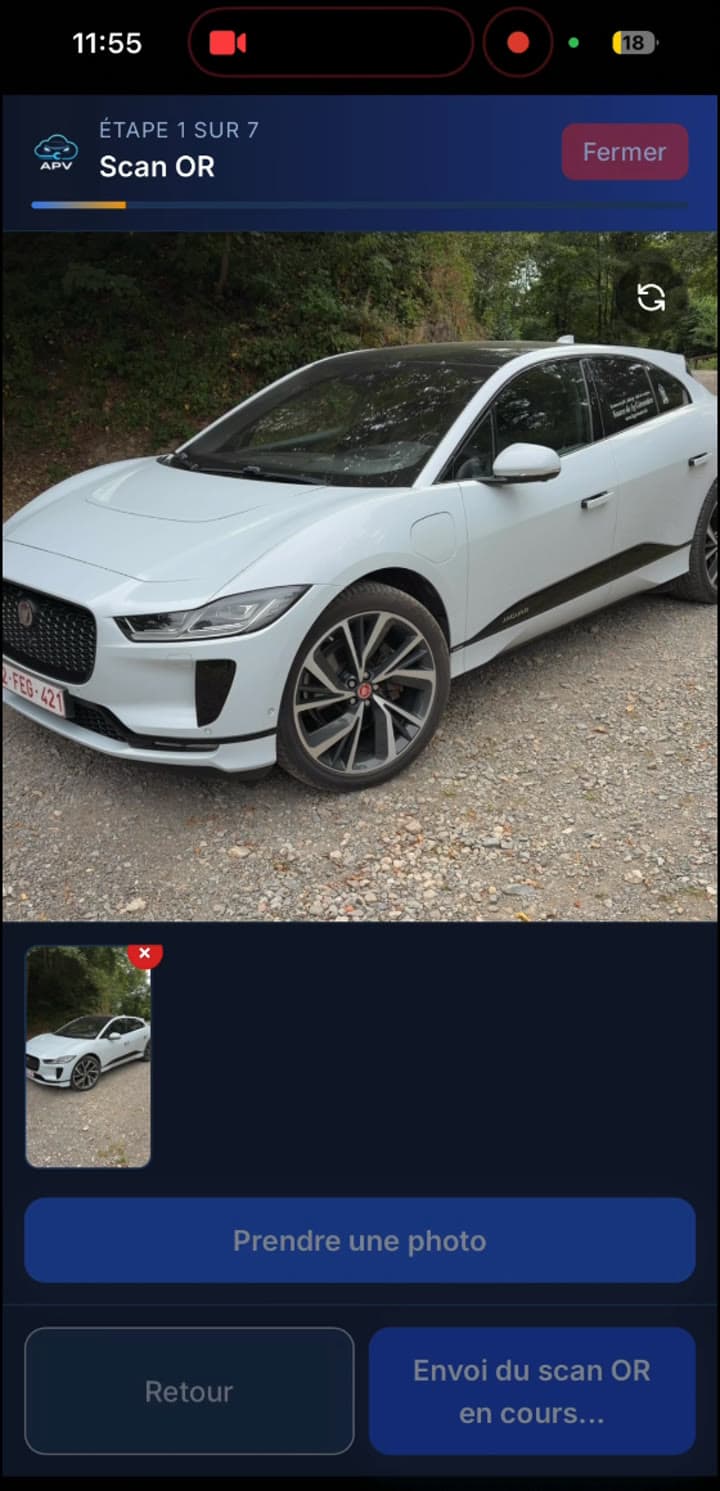
Files land in SharePoint, OneDrive, Google Drive, Dropbox or NAS
SharePointOneDriveGoogle DriveDropboxNAS
Workshop reality
The claim is not refused for the work. It is refused for the missing proof.
The warranty file is incomplete when the manager needs to build it.
A customer disputes a dent or a warning light, with no dated photo of the vehicle on arrival.
People walk across the workshop to move files by USB.
Avoiding one refused claim often covers several months.
Three steps
Scan, capture, dossier in your cloud.
1
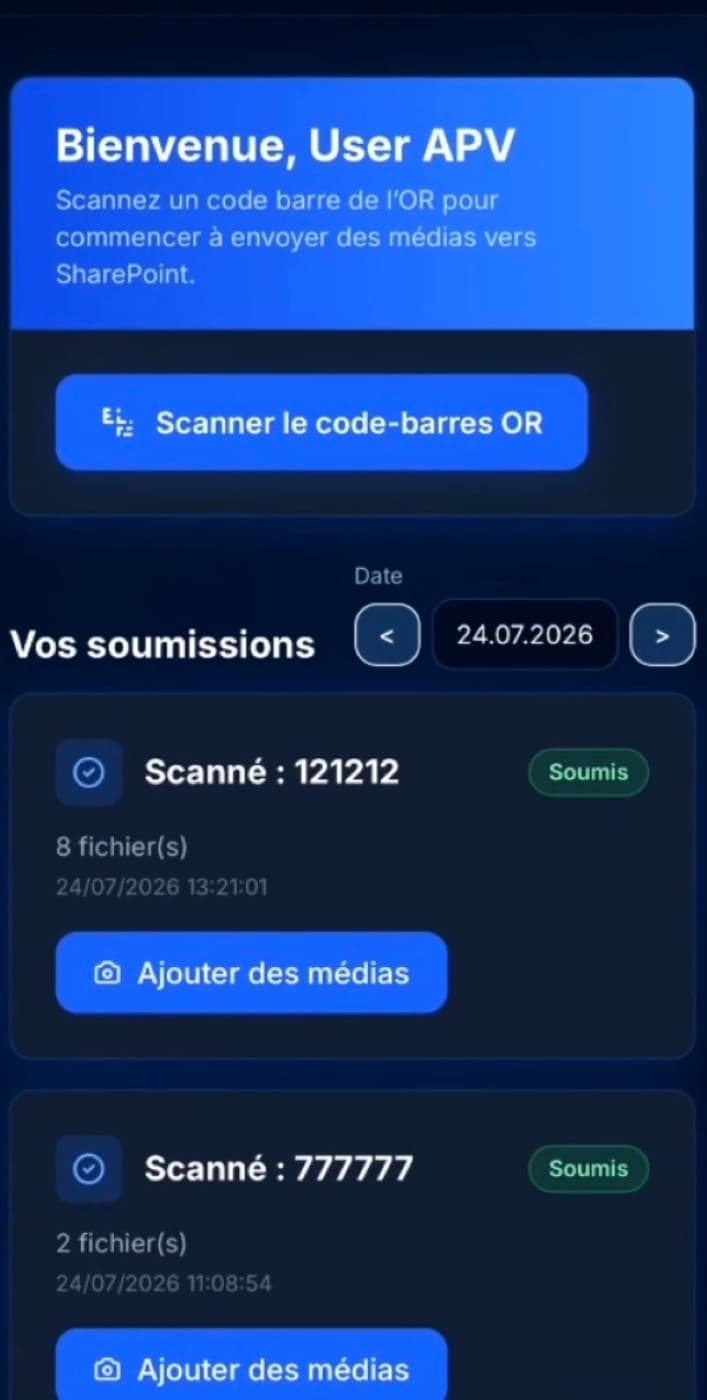
Scan the repair order
Scan the OR barcode, or type the code. The dossier is tied to that job.
2
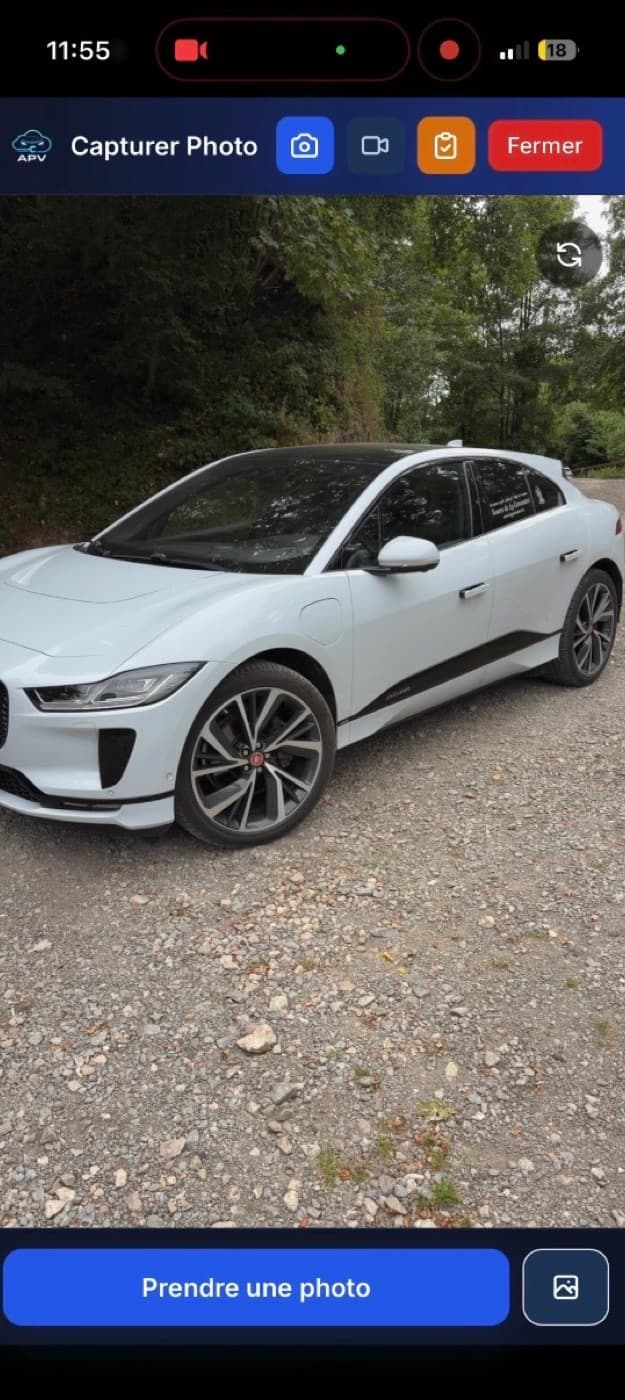
Take photos and videos
Free mode or a 7-step guided assistant with framing guides. Photo, video or gallery.
3
Find the dossier
The folder sits in your cloud on that OR. The manager finds it by plate, OR number or customer.
Who it is for
One tool, three jobs.
Which seat are you in?
Technicians
A shortcut on the phone they already carry. Scan, shoot, send. No tablet to charge, no USB stick.
After-sales managers
The folder is already built. Search the text extracted from the OR. Full action history.
Groups and dealers
The same method on every site. Storage stays yours. The manufacturer does not run the tool.
The real product
The screens your teams will use.
Admin, in your browser
app.apv-manager.com
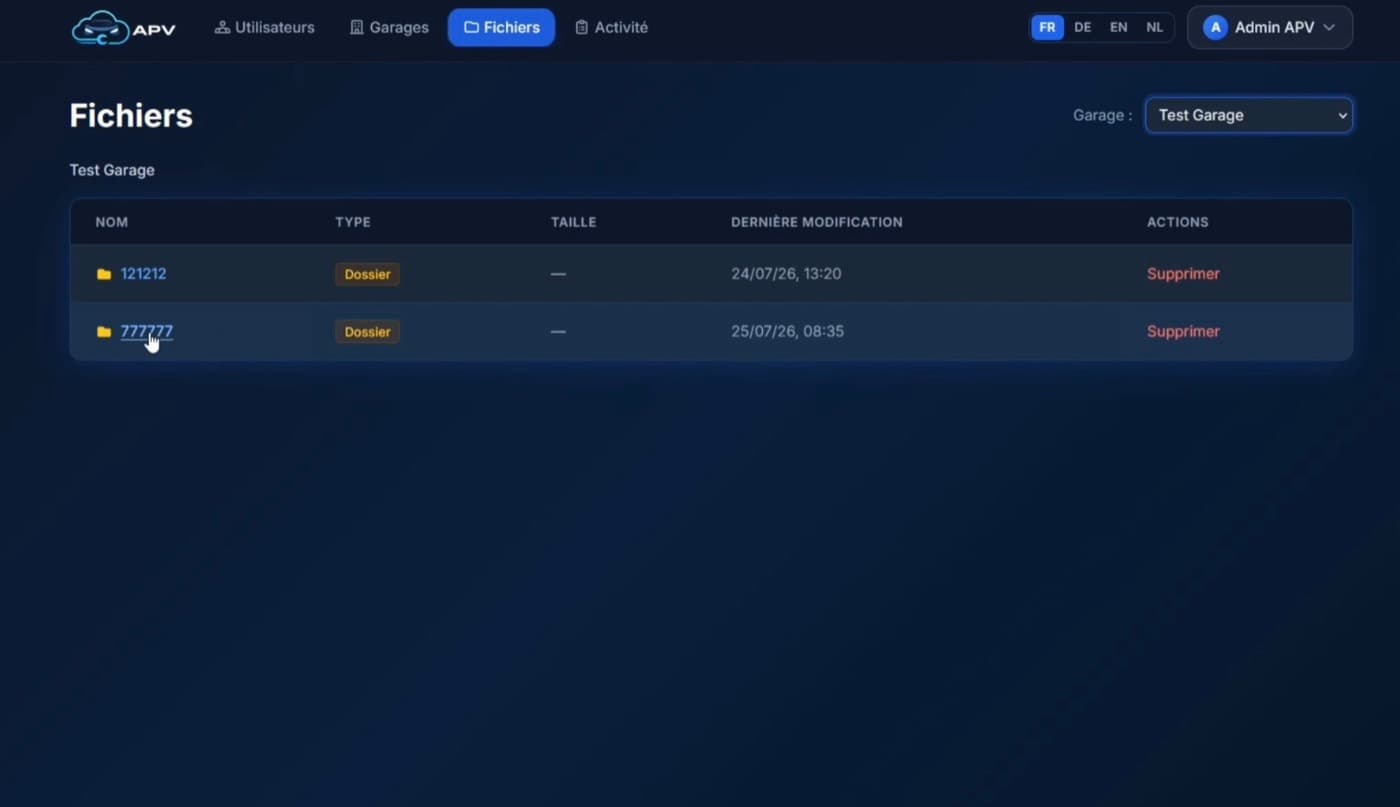
Admin file browser
In production
An after-sales tool, not another DMS.
Bug-free
In production, in Belgian automotive groups
This is not a DMS
Built for after-sales, not to replace your management
Your tenant - File manager
Files stay in your Microsoft, Nas or Google space
PWA shortcut, Android and iPhone app
PWA shortcut, Android and iPhone app
A 15-minute demonstration.
On site or remote. We walk through the scan, the capture and finding the dossier.
- 15 minutes
- On site or remote
- No install